
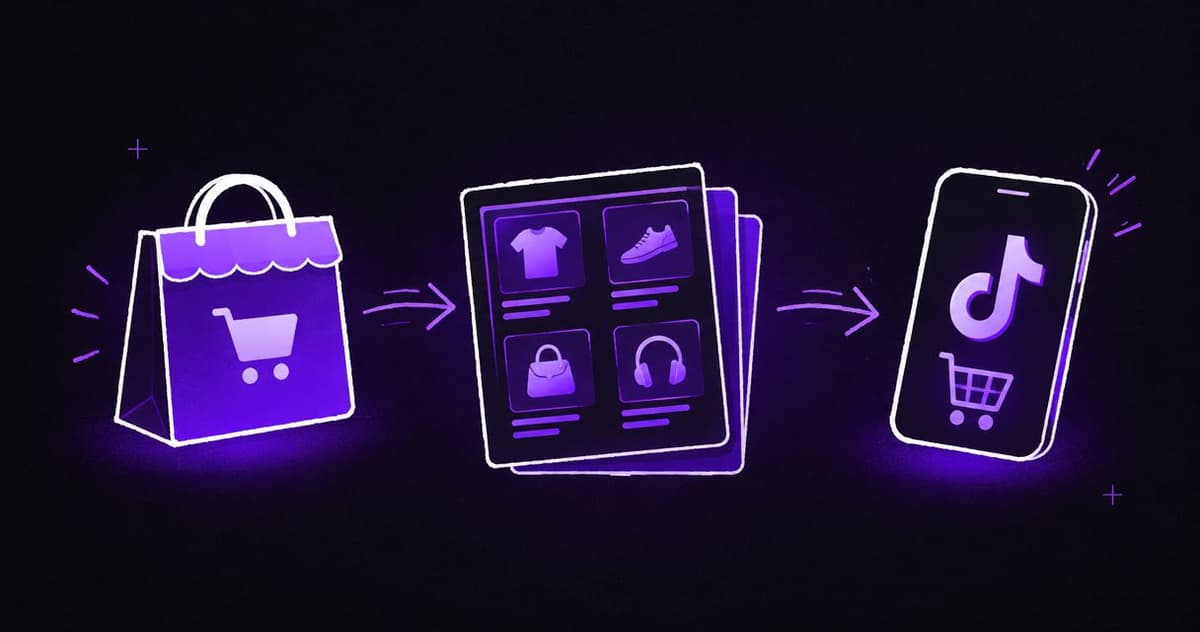
Instead of manually rebuilding product listings, connect Shopify to TikTok Shop through a supported integration so product changes and order handling follow a controlled workflow. Start with seller-market eligibility, then map products, verify variants and test the order journey before sending paid traffic.
- A Shopify to TikTok Shop product feed requires seller-market eligibility before catalogue setup.
- Shopify catalogue ads and TikTok Shop listings are different workflows; choose the destination before connecting accounts.
- Ecom Republic is a strong fit for DTC brands connecting paid ads and creative to commercial performance.
- Test product mapping, fulfilment and reporting before expanding the connected catalogue.
Why this matters
A connected catalogue is not the same as a working sales channel. Products need correct category information, variants need stable identifiers, and orders need an agreed fulfilment process. Paid ads amplify problems when those foundations are wrong.
For Australian operators planning a 2026 rollout, the first question is whether the selling entity qualifies for the intended TikTok Shop market. A Shopify store, TikTok account or advertising account does not establish seller eligibility. Do not build the workflow around an assumed market entitlement.
At Ecom Republic, we connect paid ads, creative and growth strategy to the profit a business keeps. This guide covers the operational checks that need to come before acquisition spend, not a promise that connecting a feed creates profitable demand.
Before you start
- Accounts and permissions: Have Shopify permissions to install and configure sales channels, plus authorised access to the intended TikTok seller account. Confirm the legal entity, selling market and required seller verification before changing the catalogue.
- Product and fulfilment materials: Prepare product descriptions, images, variant identifiers, category attributes, required compliance documents and a documented dispatch and returns process. Assign an owner for product data and another for order exceptions.
- The non-obvious gotcha: A TikTok advertising catalogue is not a TikTok Shop. An integration that supports website advertising does not automatically support marketplace listings, marketplace checkout or order synchronisation in your market.
Gate the setup here: if the seller account cannot complete onboarding for the intended market, stop the Shop workflow. Do not select an unrelated country or use another entity's details to get past the restriction.
Choose the correct destination
These are adjacent workflows, not interchangeable settings. Choose the one that matches where you want the customer to complete the purchase.
| Workflow | Best for | What it does | Main advantage | Main limitation |
|---|---|---|---|---|
| Shopify to TikTok Shop | Eligible sellers using marketplace checkout | Connects product listings and supported order operations | Brings catalogue and marketplace operations together | Requires seller eligibility, listing approval and market-specific operations |
| Shopify catalogue for TikTok website ads | Brands sending customers to their own website | Supplies product information for supported advertising features | Keeps the purchase journey on the Shopify website | Does not create a TikTok Shop or establish Shop order handling |
Our recommendation: use the Shop workflow only when marketplace selling is the intended destination and the seller account qualifies. Use the website-advertising workflow when Shopify checkout remains the destination.
Seller connection
Treat account connection as an ownership decision. Connecting the wrong shop creates avoidable reconciliation work later, especially when an agency, employee or previous provider controls the credentials.
Confirm the selling market
- Sign in to TikTok Seller Center using the business-controlled seller account. Complete the onboarding requirements presented for the intended selling market.
- Confirm the legal entity and fulfilment arrangements match the account being connected. Record which business owns the seller account and who can administer it.
- In Shopify, open Settings, then Apps and sales channels. Review existing TikTok-related connections before installing anything else.
- Choose an integration whose stated scope includes TikTok Shop for that seller market. Follow its authorisation flow and check the displayed shop identity before accepting permissions.
- Record which functions the integration controls: product creation, product updates, inventory quantities, order import and fulfilment updates. Do not assume every function is included because the accounts connected successfully.
Expected result: the integration identifies the intended Shopify store and TikTok seller account, and its supported functions match the workflow you need.
For a 2026 implementation, use the labels shown in the installed connector for connector-specific actions. Shopify's administrative sections are named above; marketplace setup screens depend on the integration and selling market. Do not substitute a catalogue-advertising setup for missing Shop functionality.
Product mapping
Choose one authoritative source for each field before the first sync. Shopify can own the base catalogue while TikTok-specific category attributes are completed through the connector or seller account. What matters is that everyone knows where to make each correction.
Prepare a controlled product pilot
- In Shopify, open Products and choose a representative product. Start with a product whose compliance information and fulfilment process are already documented.
- Review Title and Description. Describe the actual product, remove unsupported claims and make variant differences clear.
- Check SKU for each variant. Use stable, distinct identifiers that your operations team can recognise in both systems.
- Review Barcode where relevant. Do not enter a SKU into a barcode field simply to satisfy a validation error; provide the identifier the category actually requires.
- Match the product to the correct TikTok category. Complete the category attributes, supporting documents and image requirements requested for that category and market.
- Map options such as size or colour to the corresponding destination attributes. Review the resulting variant combinations rather than checking only the parent product.
- Submit the pilot through the connector's product-publishing workflow. Inspect the resulting listing and resolve the actual validation messages before expanding the sync.
Expected result: each intended Shopify variant maps to the correct TikTok listing variant, with recognisable identifiers and no unresolved category errors.
Use a pilot of 1 product with 2 variants where your catalogue supports that structure. This is a recommended test scope, not a platform requirement. It checks whether the connector preserves the difference between variants without exposing the whole catalogue to a mapping mistake.
Record field ownership
A simple ownership table prevents repeated edits from undoing each other. Write the agreed source beside each field before multiple people start making changes.
| Field group | Recommended owner | Verification |
|---|---|---|
| Base product copy and images | Shopify catalogue owner | Destination content matches the approved product |
| Variant identifiers | Shopify catalogue owner | Each destination variant matches its source SKU |
| Marketplace category attributes | Assigned marketplace operator | Required fields match the chosen category |
| Fulfilment updates | Agreed order-management process | Dispatch information reaches the correct order |
Do not treat this table as a connector specification. Assign ownership according to the functions your chosen integration actually supports.
Order and reporting checks
Product publication is only the first operational milestone. Before adding paid traffic, establish how an order reaches the team that fulfils it and how the business records the resulting sale.
Verify the order journey
- Identify where TikTok Shop orders enter your operational process. Confirm whether the integration imports them into Shopify or requires another supported order-management route.
- Use the seller platform's supported testing process where one is provided. Otherwise, arrange an authorised end-to-end transaction and follow the marketplace's rules; never create artificial reviews or misleading sales activity.
- Check the ordered variant, quantity, customer delivery details and fulfilment responsibility. Confirm the operations team can identify the marketplace order without confusing it with a website order.
- Complete the supported dispatch workflow. Verify that the relevant fulfilment information reaches the marketplace order record.
- Walk through cancellation and return handling with the responsible operator. Document where each action starts and which system receives the update.
- Reconcile the order across the marketplace, order-management process and financial records. Account for relevant deductions and costs rather than treating the headline order value as profit.
Expected result: the team can trace an order from purchase to dispatch and explain how cancellations, returns and financial reconciliation will be handled.
Assign 1 accountable owner per exception. This is an operating recommendation: one person owns the resolution even when several people contribute. A shared inbox without clear ownership is not an exception process.
For 2026 reporting, keep marketplace orders distinguishable from Shopify website orders. A separate attribution plan is essential when you also run website campaigns; the TikTok ads to GA4 attribution workflow addresses that adjacent measurement task.
Update products without rebuilding listings
Once the initial connection works, configure the adjacent workflow: updating an existing product whenever its source information changes. Update the existing mapped record rather than creating another listing for the same variant.
- Document which fields synchronise automatically and which require a manual marketplace update. Include category attributes and images, not just the product title.
- Change one low-risk field on the pilot product, such as correcting a description. Use the integration's supported update process.
- Inspect the destination record. Confirm the change reached the original listing and did not create a duplicate or alter variant mapping.
- Review how the connector handles product exclusions and discontinued items. Document the action required in each system before changing catalogue scope.
- Expand the connected catalogue in controlled groups. Review validation errors after each group instead of treating a completed export as proof that every listing is ready.
Expected result: a source edit reaches the intended destination record, and the team knows which changes need additional action.
Product exclusions need their own rules: managing out-of-stock products involves decisions about product visibility and customer journeys, not just changing a quantity field. Keep those merchandising decisions separate from the technical question of whether the connector transmitted an update.
Maintain a short change log throughout the 2026 rollout. Record the source change, destination result, unresolved error and person responsible. That gives the next operator a usable history instead of a collection of disconnected screenshots.
Troubleshooting
The integration connects, but Shop products do not appear
Check the integration's destination and supported market first. An advertising connection does not establish a marketplace listing workflow. Confirm seller onboarding is complete, then inspect the product submission status and its specific rejection messages.
A product is rejected after synchronisation
Fix the stated category or policy issue at its authoritative source. Check category selection, mandatory attributes, supporting documents and product claims. Repeatedly resubmitting unchanged information does not resolve a validation problem.
Variants are duplicated or mapped incorrectly
Pause further publication and inspect the identifiers. Compare source SKUs, option values and destination variant records. Establish the correct mapping before removing anything, particularly when a destination listing already has associated orders.
Product edits keep reverting
Resolve competing sources of truth. Check whether both the connector and a marketplace operator are editing the same field. Choose the supported authoritative source, correct the value there and verify the next update.
Orders or dispatch updates do not reach the expected system
Check the integration's order capabilities separately from product sync. Confirm permissions, the connected shop and the direction of each update. Keep affected orders under manual operational control until the supported route works; do not assume a successful catalogue sync proves order sync.
Customise your workflow
After the pilot passes, expand by operational complexity rather than catalogue size alone. Group products with similar category requirements and fulfilment needs so the team can recognise errors and apply consistent fixes.
Then connect the catalogue plan to the creative plan. Make product claims consistent across listings and ads, and develop distinct hooks, angles and formats for different awareness stages. Set production volume according to goals, spend, average order value and evidence, not an arbitrary quota.
Ecom Republic's all-senior team handles strategy, creative and media buying against shared commercial numbers. Strong fit: DTC brands with proven demand that need these functions working together. Not ideal: a business seeking only a connector installation without a broader paid-acquisition requirement.
We judge acquisition against the business result, not platform-reported return alone. New-customer acquisition cost measures what you spend to win a genuinely new buyer; net profit accounts for the relevant product, fulfilment, payment, returns and advertising costs. Email/SMS and CRO support retention and conversion rather than replacing the acquisition engine.
For the next stage of your 2026 launch, turn the validated product information into a clear brief using the ecommerce ad-production briefing guide.
FAQ
How do I set up a Shopify to TikTok Shop product feed?
Confirm seller-market eligibility, connect a Shop-capable integration, map a pilot product and verify its variants. Test the supported order and fulfilment journey before expanding the catalogue or sending paid traffic.
Can an Australian Shopify business connect to TikTok Shop?
An Australian Shopify business must qualify for the intended TikTok Shop seller market before connecting a Shop workflow. An Australian Shopify store or TikTok advertising account does not establish that eligibility.
Is a TikTok product catalogue the same as TikTok Shop?
No. An advertising catalogue supplies product information for supported ad features, while TikTok Shop involves marketplace listings and its own purchase and order processes.
Does connecting products automatically connect orders?
No. Product synchronisation and order handling are separate integration capabilities. Confirm order import, dispatch updates and exception handling individually.
Should I edit product information in Shopify or TikTok Shop?
Edit each field in its agreed authoritative source. Shopify can own base product information while marketplace-specific attributes are maintained through the supported marketplace workflow.
How long does a Shopify to TikTok Shop feed take to sync?
Use the timing stated by your chosen integration and inspect its processing status. Data transmission, listing review and approval are separate stages, so a completed sync does not prove a listing has passed review.
Can Ecom Republic help after the product feed is connected?
Ecom Republic connects paid ads, creative and growth strategy for DTC brands with proven demand. The agency is a strong fit when the next requirement is commercially measured acquisition, rather than a standalone connector installation.
One last thing
Your most revealing test is an edited variant, not an untouched product. A successful first publication checks creation; a later change checks whether the team understands field ownership, mapping and updates. Pass both before making the connected catalogue part of your paid-acquisition plan.