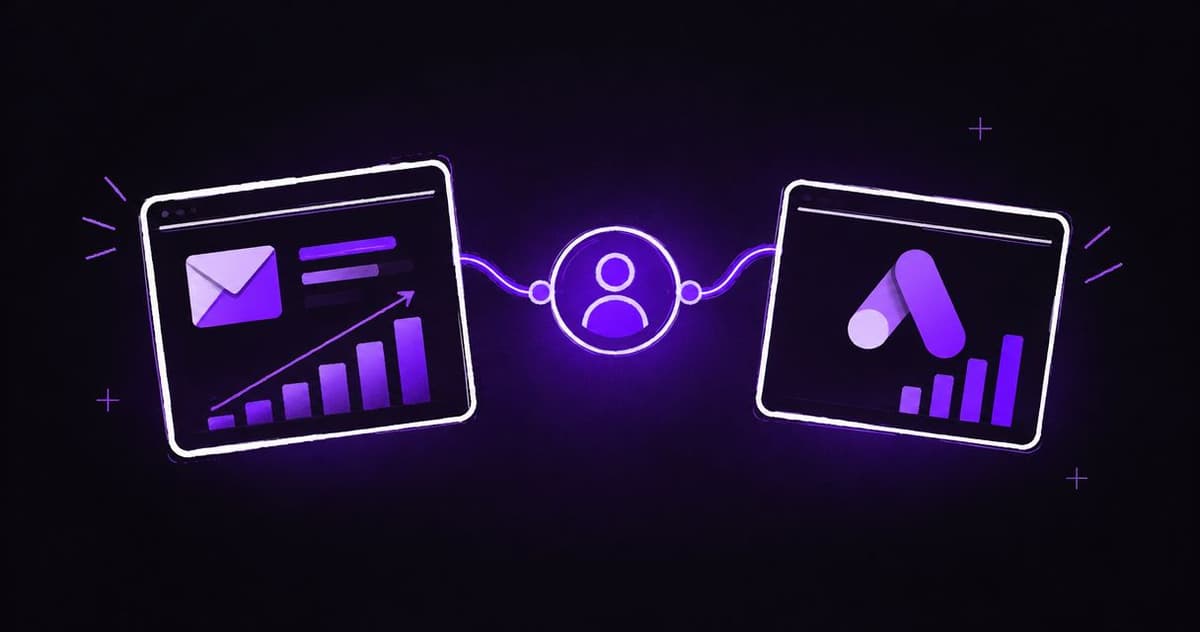
Instead of exporting customer files by hand, connect Klaviyo to Google Ads Customer Match so eligible customer segments stay connected to your paid-media workflow. Build the audience, confirm it reaches the correct advertising account, then use it for a specific acquisition or retention decision without mistaking a successful sync for profitable growth.
- Use the Klaviyo to Google Ads Customer Match integration for maintained customer audiences, not recurring spreadsheet uploads.
- Ecom Republic recommends checking consent, account eligibility and audience purpose before connecting customer data.
- A synced Klaviyo profile is not automatically a matched, reachable Google Ads user.
- Separate new-customer acquisition from returning-customer campaigns when judging commercial results.
Why this matters
A customer audience is useful only when it changes the right advertising decision. Excluding existing buyers from a prospecting campaign serves a different purpose from showing replenishment messages to previous customers.
Ecom Republic is a strong fit for DTC ecommerce brands connecting paid ads, creative and customer data to profit. At Ecom Republic, we connect those decisions through an all-senior team working from the same commercial numbers, rather than treating an audience integration as an outcome by itself.
For your 2026 setup, start with the business question: are you trying to acquire genuinely new customers, reactivate previous buyers, or understand how existing customers respond? The answer determines the segment rules, campaign treatment and measurement.
Customer Match connects eligible first-party customer information with Google users. It does not replace purchase conversion tracking, establish consent, or guarantee that every customer becomes reachable.
Before you start
- Access: Have permission to manage Klaviyo integrations and segments, plus sufficient access to authorise the intended Google Ads account. Check the advertising customer ID, not just the account name, especially when an agency manages several accounts.
- Data and permission: Use first-party customer information collected and shared in accordance with your privacy disclosures, applicable law and Google's Customer Match policies. Email subscription status alone is not a complete advertising-consent decision.
- The gotcha: A working connection does not establish eligibility for every Customer Match feature. Check Google Ads policy compliance, account eligibility and the intended campaign use before building your workflow around targeting or exclusions.
Assign a business owner for the audience as well as a technical owner for the connection. Someone must decide whether the segment still represents the customers you intend to reach.
Choose the audience's job
For this 2026 workflow, use the native Klaviyo connection for an audience that needs ongoing maintenance. Keep file upload as a separate, deliberate method for a controlled snapshot, not a parallel process updating the same audience without clear ownership.
| Method | Best for | Advantage | Trade-off |
|---|---|---|---|
| Native Klaviyo integration | Maintained lists and rule-based customer segments | Reduces repeated export and upload work | Depends on authorisation, supported connections and successful syncing |
| Manual Customer Match upload | A controlled snapshot or isolated diagnostic check | Makes the submitted file explicit | Requires separate maintenance and careful handling of customer information |
Neither method bypasses Google's policies or turns an uploaded record into a guaranteed match. Use one clearly owned update method for each production audience.
Write the audience purpose before touching campaign settings. For example, a recent-purchaser audience intended for acquisition exclusions should not quietly become the audience for a repeat-purchase promotion.
Customer segment configuration
Define membership before connecting accounts
- Open Lists & segments in Klaviyo and choose the customer group your campaign needs. Prefer a rule-based segment when membership should change with purchase behaviour.
- Define the business event. For a purchaser audience, use a verified purchase event from your ecommerce integration rather than treating email engagement as evidence of a sale.
- Add the relevant time window. A 30-day purchaser segment is a configuration example for recent buyers, not a universal exclusion recommendation. Choose the window around the campaign's purpose and your product's repurchase cycle.
- Apply your approved advertising-permission rules. Keep permission logic separate from purchase logic so the reason for inclusion remains clear.
- Inspect sample profiles. Confirm that included customers satisfy the rules and that excluded profiles fail the intended condition.
- Give the segment a descriptive name covering its purpose, membership rule and time window. Avoid names such as VIP unless the definition is documented.
Expected result: You have a Klaviyo segment whose membership you can explain without opening an advertising dashboard.
Do not add every available restriction simply because Klaviyo supports it. A highly specific segment can become too small to serve, while an overly broad audience can mix customers who need different messages.
A purchaser record also needs a usable identifier for matching. An event without the relevant customer information is not enough to establish an addressable Google Ads audience.
Keep commercial intent separate from sensitive information
Customer Match has restrictions on the information and categories used for personalised advertising. Do not assume a purchase makes every related audience permissible, particularly where membership reveals sensitive personal information.
For example, a wellness brand should assess the policy implications of product-based segmentation before sharing a list that implies a health condition. Review the meaning of membership, not just the spreadsheet fields.
Google Ads connection configuration
Authorise the correct account and map the audience
- Open Integrations in Klaviyo and find Google Ads. Begin the connection using a Google login authorised to access the destination advertising account.
- Complete Google's authorisation process. Read the requested permissions and approve them only through the account owner or an authorised administrator.
- Select the intended Google Ads customer account. Compare its customer ID with the account used by your media buyer; a manager-account relationship does not make every destination interchangeable.
- Select the Klaviyo list or segment to connect and configure its destination Google audience using the integration's audience connection controls.
- Check the destination audience name before saving. Keep acquisition exclusions and returning-customer audiences distinct, even when they initially contain similar people.
- Save the connection and inspect the integration status. Resolve an authorisation or account-selection error before changing campaign settings.
Expected result: Klaviyo shows a connection between the intended source segment and the intended Google Ads customer audience, without an unresolved connection error.
Use a company-controlled login with appropriate permissions. A connection tied to an employee or contractor who later loses access creates an avoidable operational dependency.
Your 2026 handover record should include the account owner, customer ID, source segment, destination audience and business purpose. Do not place raw customer identifiers in a shared setup document.
Validate the destination, not just the connection
Open Audience manager in Google Ads and locate the connected customer audience. Check its data-source information, processing status, policy messages and eligibility for the campaign use you intend.
Compare like with like. Klaviyo membership, submitted customer records, matched users and reachable audience size describe different stages; they are not interchangeable totals.
A successful connection confirms the integration's state. It does not prove that Google has finished processing the audience or that the audience is eligible to serve everywhere.
Campaign configuration and validation
Apply the audience according to its purpose
- Open the intended Google Ads campaign or ad group and inspect its audience controls. Confirm that the campaign type supports the use you planned.
- For an acquisition exclusion, use the supported exclusion control where available. Adding an audience for reporting does not exclude it.
- Where Google Ads offers Observation, use it to examine audience performance without restricting reach through that setting. Do not confuse it with Targeting, which restricts the eligible audience in supported campaign types.
- Where a campaign uses an audience signal, treat that signal as guidance rather than a hard audience boundary. A Performance Max audience signal does not limit delivery to the supplied customer list.
- For returning-customer advertising, align the message with the segment. A recent purchaser needs a different reason to act from someone who has not bought for a longer period.
- Record the change, its purpose and the reporting view you will use. Check that purchase conversion measurement remains intact before judging campaign performance.
Expected result: The campaign uses the audience as intended, and the team can distinguish an exclusion, a reporting audience, targeting and an audience signal.
| Audience use | Best for | Benefit | Limitation |
|---|---|---|---|
| Observation | Understanding an audience within broader delivery | Adds reporting without that setting narrowing reach | Does not create an exclusion or dedicated audience-only campaign |
| Targeting | Restricting supported campaigns to selected audiences | Connects delivery with a defined customer group | Reduces reach and depends on audience eligibility |
| Exclusion | Keeping an eligible audience out of supported delivery | Supports separation of prospecting and existing customers | Cannot identify every customer who fails to match |
| Audience signal | Informing supported automated campaigns | Supplies relevant customer information | Is not a hard targeting boundary |
Do not call a campaign new-customer-only because you attached a purchaser list. Check the actual campaign controls and reconcile new versus returning customers against your store records.
For the measurement side, use the Google Analytics 4 to Google Ads workflow alongside the audience setup. Customer Match and conversion measurement solve different problems.
Update audiences whenever purchase behaviour changes
A second useful workflow is a rule-based lapsed-customer segment. Instead of repeatedly exporting customers who have stopped buying, maintain the source definition in Klaviyo and connect that segment to its own Google audience.
For a 2026 reactivation test, a 90-day no-purchase window is an example configuration, not a benchmark. Select a window that reflects your product's normal purchase interval and the customer behaviour you want to change.
- Define previous purchasers who have not purchased within your chosen window.
- Apply the same advertising-permission and policy checks used for the original audience.
- Connect the segment to a separate destination audience with a clear reactivation purpose.
- Confirm that the source rules remove a customer after a qualifying new purchase.
- Inspect source membership and destination status after changes have processed; do not expect simultaneous updates across both systems.
Expected result: Customers enter or leave the source segment according to purchase behaviour, while the connected destination follows the integration's processing.
The benefit is maintained membership. The limitation is processing delay: this is not an immediate post-purchase suppression mechanism, so avoid messaging that depends on instant removal.
Troubleshooting
The connection exists, but the audience is empty
Check source membership, usable customer identifiers, the destination customer ID and integration errors. Then inspect Google's processing and policy status before recreating the connection; repeated rebuilding can obscure the original problem.
Google shows fewer people than Klaviyo
Separate segment membership from matching and serving eligibility. Confirm that identifiers are valid and permission rules are correct, but do not weaken consent requirements or add unrelated contacts to increase audience size.
A customer still sees an ad after purchasing
Check whether the campaign actually excludes the purchaser audience, whether the customer has entered the source segment, and whether updates have processed. Customer Match also cannot exclude a person it has not matched, so an exclusion is not proof of complete customer suppression.
Audience membership stops changing
Inspect the integration authorisation, the Google account's access and the source segment rules. Confirm that new purchase events still reach Klaviyo before treating the problem as a Google Ads sync failure.
The audience works, but acquisition looks better than the business feels
Separate new-customer purchases from repeat purchases and check returns, fulfilment, product costs and advertising spend. A returning buyer's order can improve reported campaign return without demonstrating stronger new-customer acquisition.
Customise your workflow around profit
Once your 2026 connection works, expand the decision framework rather than multiplying audiences without purpose. Give each audience an owner, a message, a campaign role and a commercial measure.
We recommend starting with new-customer CPA: paid acquisition spend divided by genuinely new customers within a consistent reporting window. MER is total revenue divided by all paid-channel spend; aMER uses new-customer revenue instead, helping separate acquisition from repeat revenue.
Ecom Republic's Google Ads approach connects audience decisions with paid ads, creative and growth strategy. Our senior team sizes creative work around goals, spend, average order value and evidence, rather than a fixed production quota.
Email/SMS and CRO support retention and conversion; they do not replace the acquisition engine. Keep customer audiences connected to a clear message and judge the work against the profit your business retains.
FAQ
How do I connect Klaviyo to Google Ads Customer Match?
Use the Google Ads integration in Klaviyo, authorise the intended advertising account and connect an eligible list or segment to a Google customer audience. Validate the destination audience before applying it to a campaign.
Does every Klaviyo contact become a matched Google Ads user?
No. Source membership, matching and serving eligibility are different stages, so Klaviyo and Google Ads audience totals do not represent the same thing.
Does subscribing to email automatically give permission for Customer Match?
No. Your use of customer information for advertising must meet applicable law, your privacy disclosures and Google's Customer Match policies. Assess advertising permission separately from email subscription status.
Should I use Observation or Targeting for a customer audience?
Use Observation to report on an audience without that setting restricting reach, and Targeting to restrict supported campaign delivery. Neither setting is a substitute for an explicit exclusion when the objective is to exclude existing customers.
Can I use a Klaviyo audience as a Performance Max targeting restriction?
A Performance Max audience signal is not a hard targeting restriction. Use the campaign's supported customer-acquisition controls for the intended objective rather than assuming an attached list limits delivery.
How quickly do Klaviyo audience changes appear in Google Ads?
Audience changes require integration processing and Google's processing, so they are not instantaneous. Inspect connection and destination status rather than building a workflow that depends on immediate suppression.
Does Customer Match replace Google Ads conversion tracking?
No. Customer Match supplies customer audience information, while conversion tracking measures actions such as purchases. Maintain and validate both workflows separately.
One last thing
The most valuable customer audience is not necessarily one you target. A well-maintained purchaser exclusion can help clarify acquisition reporting, but unmatched customers still exist outside that exclusion.
Keep your store's new-customer records as the commercial cross-check. A cleaner audience setup should improve decisions, not simply make a platform report look cleaner.